Lux Lox Salon, Inc.
Text notifications.
Lux Lox is a beauty salon and education business in Temecula, California. Our optional texts are for guests, professionals and residents who choose to receive transactional updates.
What we text about
Consultation responses, service request updates, account activity requiring attention, and Residency reminders or mentor feedback.
Text delivery is not active yet. Registration and delivery setup must finish before messages begin.
How you choose
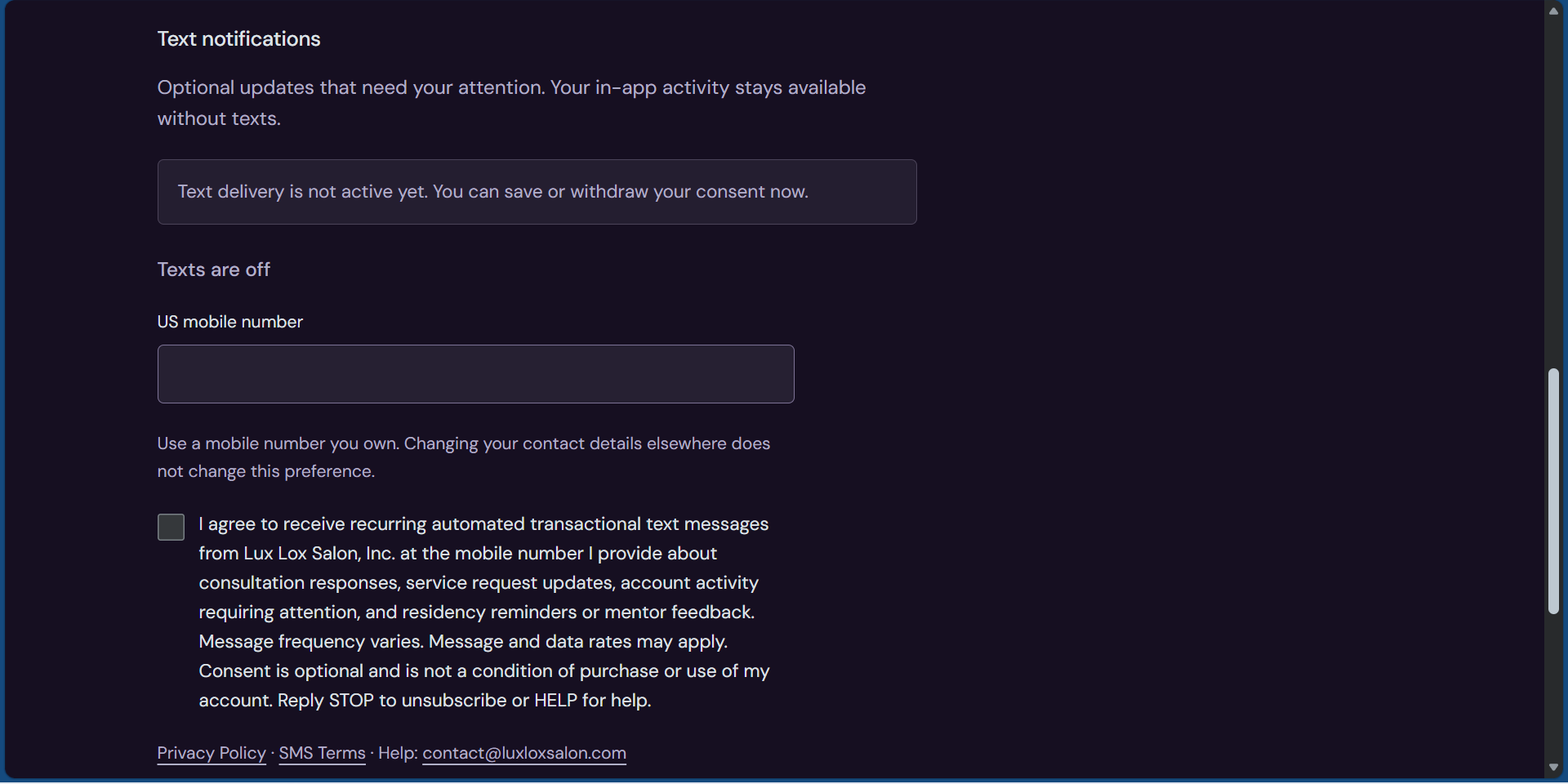
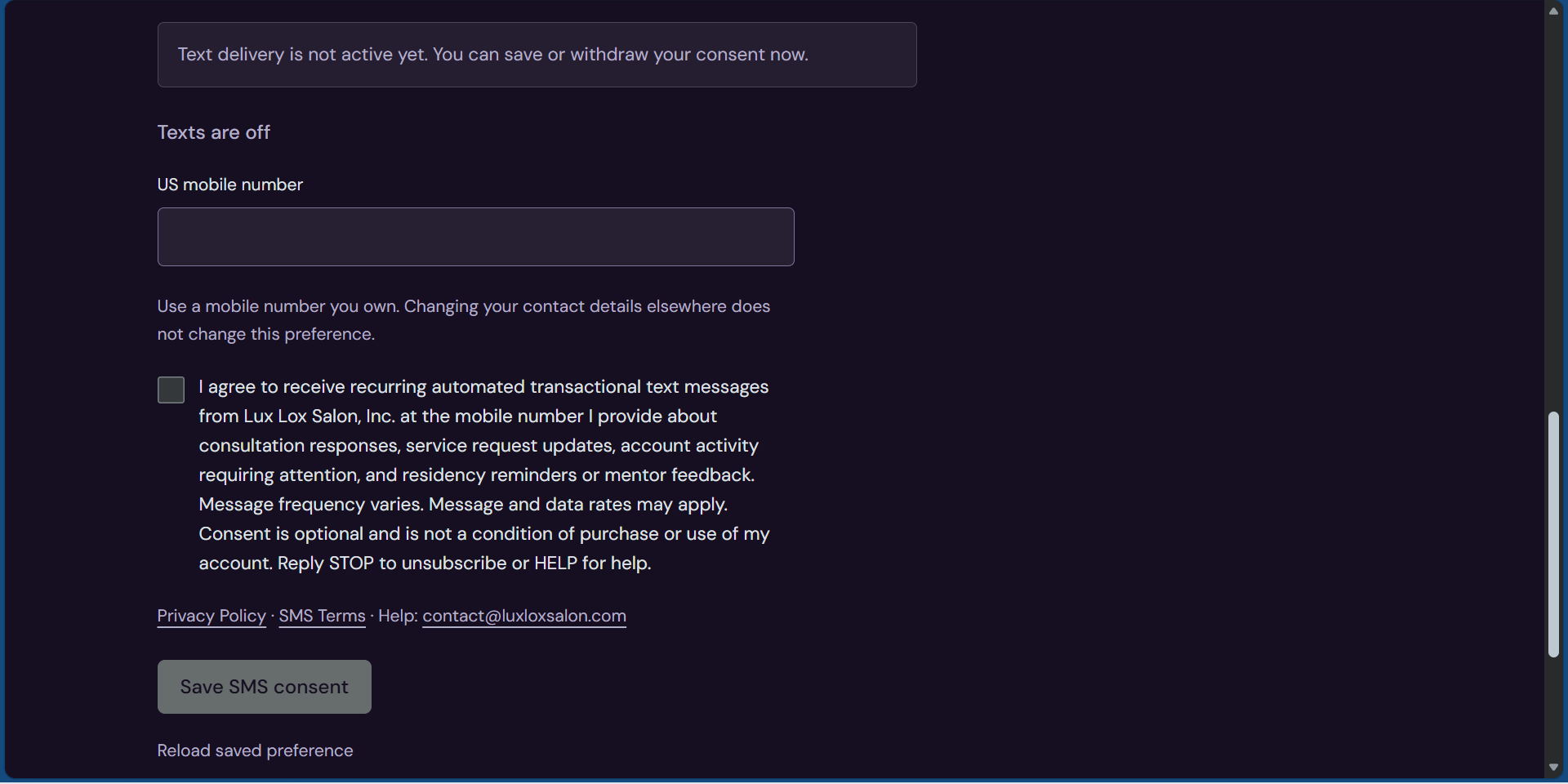
Sign in to the Lux Lox app, open Settings, then Text notifications. Enter a US mobile number you own, select the optional unchecked consent checkbox, and choose Save SMS consent. Creating an account, giving a professional your number or saving contact information does not subscribe you.
Message frequency varies. Message and data rates may apply. Consent is optional and is not a condition of purchase or account access.
Manage text preferences in the app ↗Change your mind anytime
Use Withdraw SMS consent in Settings. Once texting is active, reply STOP to unsubscribe or HELP for help. Contact contact@luxloxsalon.com for assistance.
Mobile opt-in information is not shared with third parties or affiliates for marketing or promotional purposes. See the Privacy Policy and SMS Terms for details.
Actual app consent screen
These two screenshots show the same Text notifications form in the signed-in Lux Lox app on October 13, 2026. They are provided here because account settings require sign-in. Browser tabs and the address bar have been cropped out; the form content is unchanged. The mobile number is empty and the consent checkbox is unchecked. No text subscription was created for these screenshots.
- Sign in and open account Settings → Text notifications.
- Enter a US mobile number you own and read the consent statement and linked policies.
- Choose the optional consent checkbox, then Save SMS consent. Leaving the box unchecked does not subscribe you.